Freescan BuTel Import
From The RadioReference Wiki
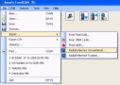
Select from pulldown
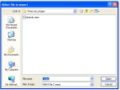
Select file to import
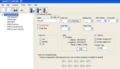
Results of conventional import
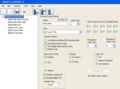
Results of trunked import


You can now use Freescan to import data from several BuTel .mem and .m96 files. FreeSCAN supports the import of either trunked or conventional data from most files, except for ARC780 files which are limited to conventional import only.
- ARC246
- ARC396
- ARC996 (note - uses .m96 extension)
- ARC15
- ARC780 (conventional data only)
The process is simple;
- From the Import selection on the file pulldown, select From .MEM/m96
- The file dialog is displayed. Click on the desired file name
- The file is imported. Note that the user must adjust the system and group quick keys for their needs.
- If you need to import multiple files, use the Bulk Import function. Simply ctrl-click on the number of files you wish to import, or use control-A to select the entire directory. FreeScan will assign a new system for each file.
Return to the FreeScan User Guide